Features
Every feature. Explained.
Long page. Built for athletes who want to read every line before they install. Jump to a section or scroll through.
Sensei AI
A coach that has read your training, not a chatbot.
Sensei is powered by Anthropic's Claude. It knows your last week of sessions in full, a month of per-exercise progression, older sessions it retrieves when they are relevant, your active training camp, your fight week if you're in one, your daily readiness, your skill tree progression, and your PRs.
Rather than a generic Z2 run, it says: "Your last two sessions hit sRPE 8+, sleep is 6% below baseline, and this week's load is well above your usual. Tomorrow you should run Z2 35 min, skip resistance, and add an extra mobility block before bed." That's a Sensei response, grounded in your training history.
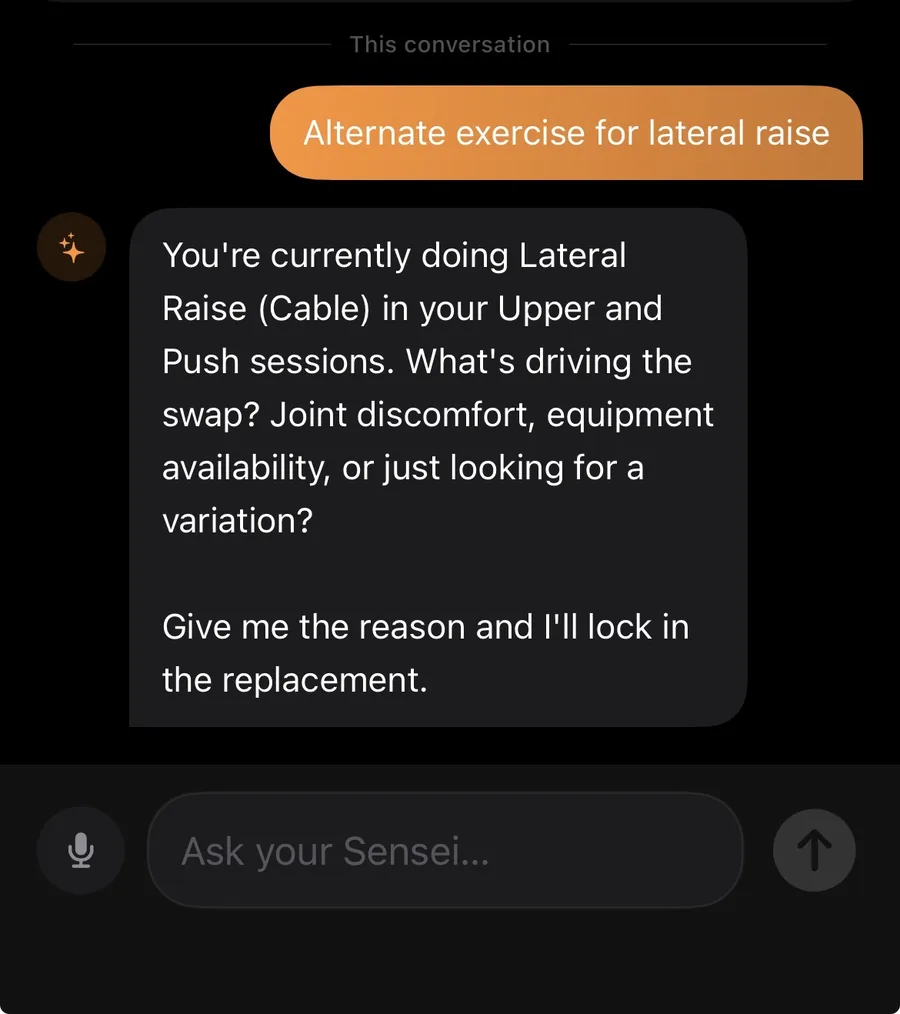
What Sensei can do: chat with full context, log voice workouts, debrief sparring sessions, build daily plans, scout opponents, simulate drill situations.
Sensei is Elite-tier ($14.99/mo or $119.99/yr). Conversations are processed by Anthropic: full disclosure in the privacy policy.
Voice logging
Speak your workout. Watch it log itself.
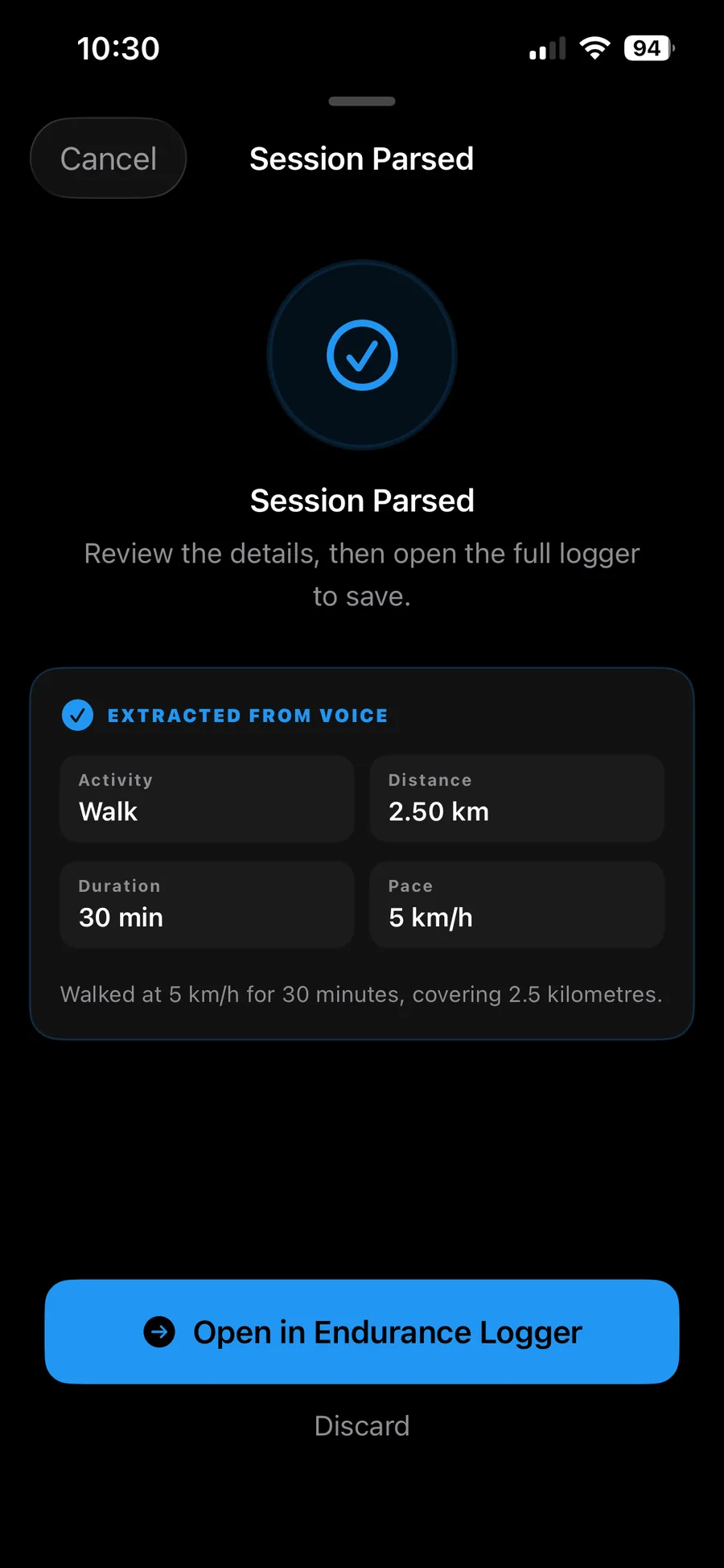
Combat and endurance sessions log themselves from voice. "Three rounds rolling, got a triangle, sRPE seven" becomes a fully-structured combat session in 8 seconds.
Speech is transcribed by Apple's Speech Recognition, the same engine behind dictation: online it runs on Apple's servers, offline it runs on the phone. The transcript, never the audio, is then sent to Claude to extract discipline, rounds, technique attempts, intensity, and free-form notes. You review and save.
Resistance voice parsing shipped in v1.1: say your lifting session and Versus extracts exercise, sets, reps, and RPE the same way.
Skill tree
17 martial arts mapped to your progression.
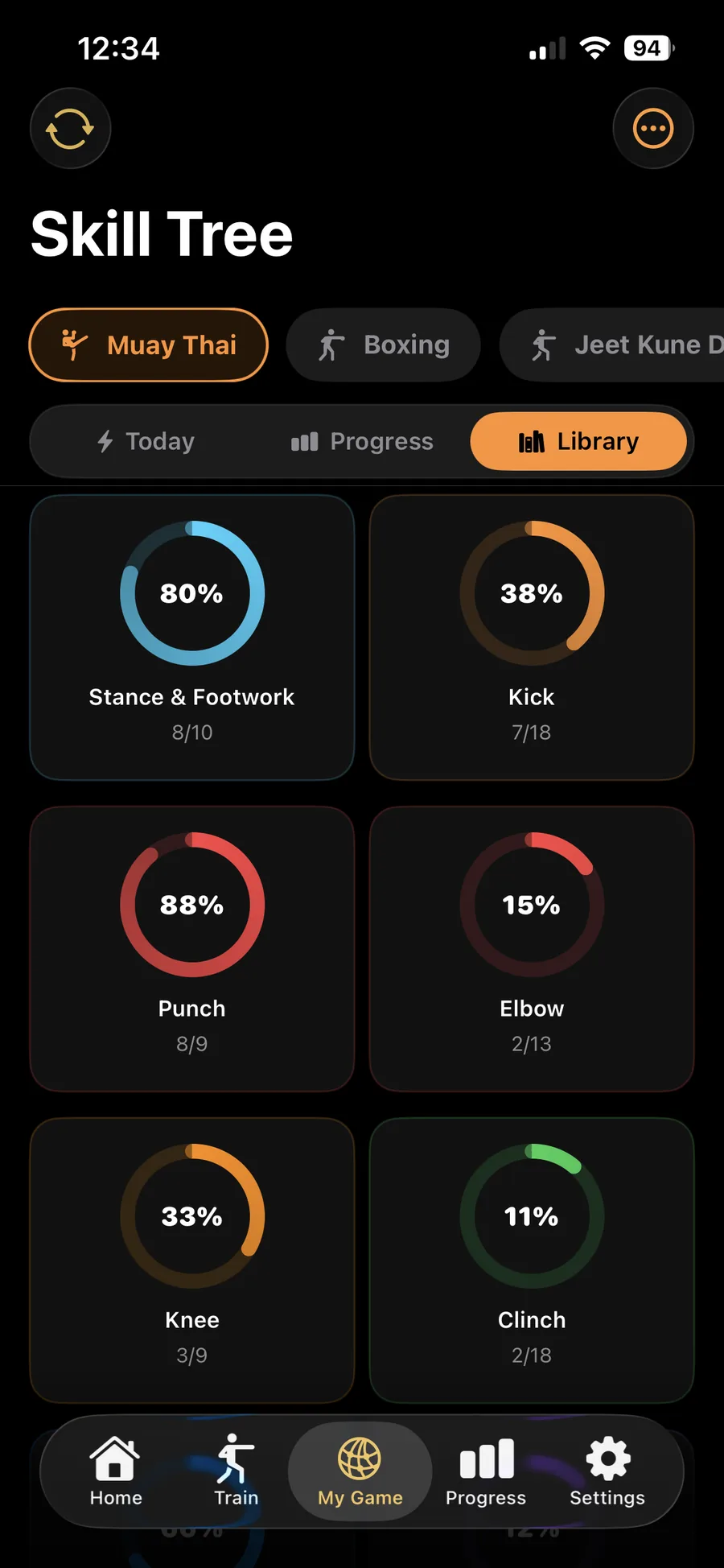
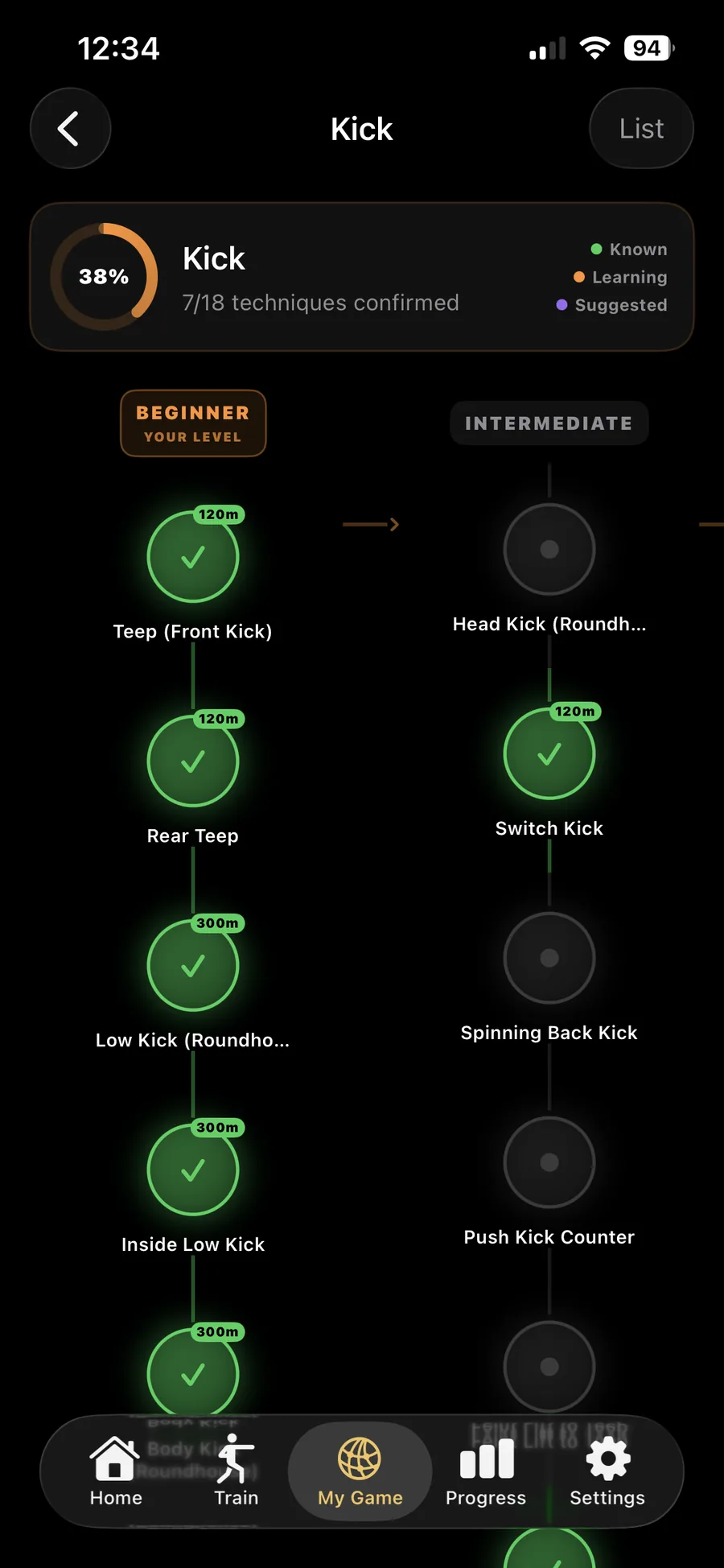
BJJ, MMA, Muay Thai, boxing, wrestling, karate, judo, sambo, kickboxing, taekwondo, krav maga, capoeira, kali escrima, lethwei, savate, Jeet Kune Do, catch wrestling. Each discipline has a tree of techniques: strikes, takedowns, submissions, escapes, position transitions.
Log a sparring session and tag the techniques you drilled or hit. The tree fills in over time. See exactly where your training is concentrated and where you've gone weeks without touching a position.
The strength side gets the same treatment via exercise library + PR tracking per movement.
Daily readiness
One number. Every morning.
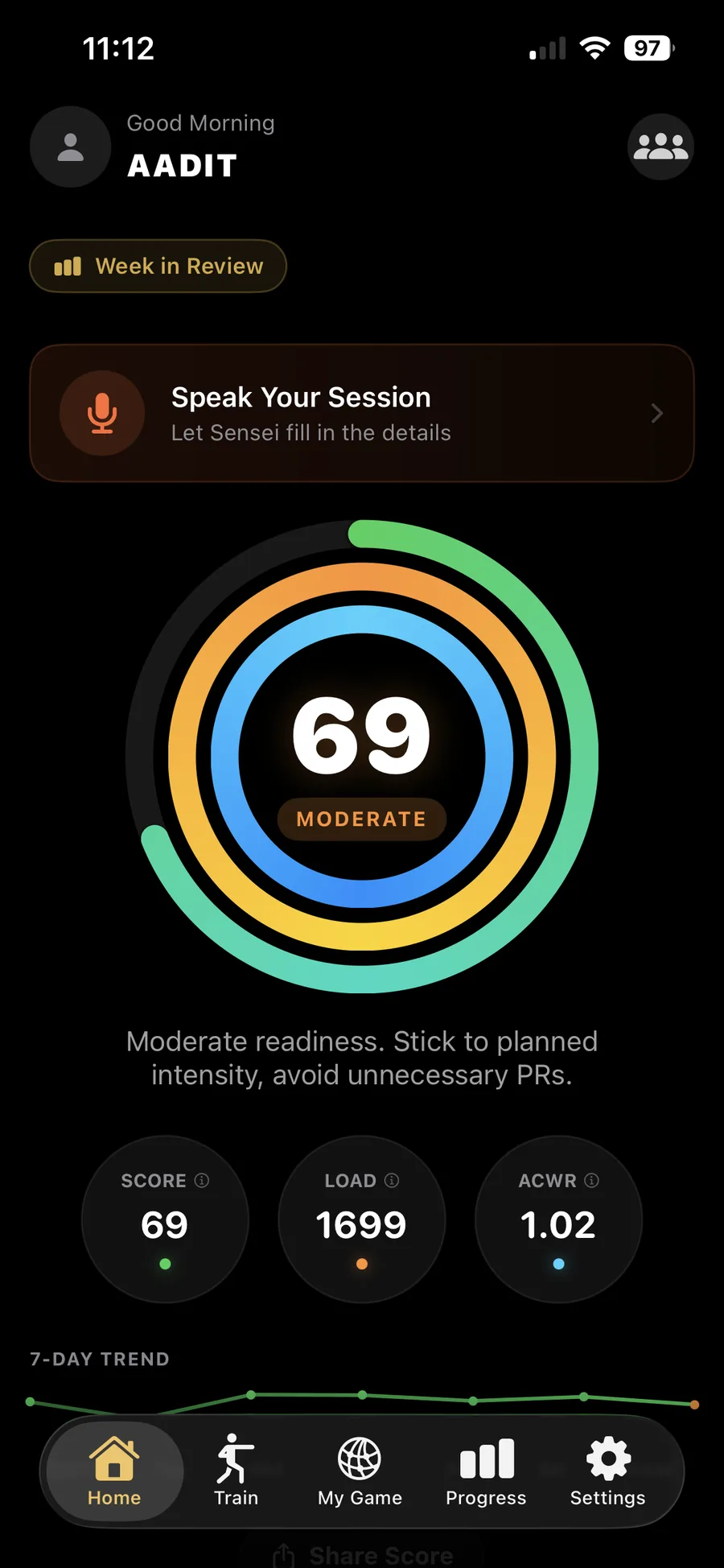
Readiness answers one question: how recovered are you today. It comes from your morning check-in (energy, soreness, life stress), your HRV measured against your own rolling baseline, and your sleep. Resting heart rate and sleep stages adjust it at the margins, and a high breathing rate caps it outright. Training load counts as well, as of v1.3. It reads the size of the jump rather than the effort, so a heavy week that sits inside your own normal range costs you nothing, and a sharp spike above that range takes points off. How much you did in absolute terms is still a separate question, and it still gets its own ring.
Three rings carry it. Score is how your body responded. Load is how much you did, against your own recent peak week. Balance holds full while every system you train sits near its baseline and drains when one spikes, naming the one running hot. A rest day leaves it full, because resting is not a failure state.
Sensei, Training Camp and Fight Week all read the score, so you see it once each morning and the rest of the app uses it everywhere. An injury log sits on the same timeline as your load, recording what happened without attributing a cause. Apple Health sync runs both ways.
It is an estimate, not a verdict on your body. None of the three rings diagnoses an injury or predicts one, and Versus is a training log, not a medical device. The workload chart also carries the acute:chronic workload ratio for anyone who wants it, kept as research context rather than an injury predictor.
Sleep detection got better in 1.4: a nap in the afternoon and a night you woke up twice no longer distort the total the way they used to.
Cycle aware training is there if you want it, and off if you do not. Turn it on and Versus reads menstrual cycle data from Apple Health and reflects the phase in your readiness. It is optional, you are never asked for it to use the app, and the data is covered in the privacy policy like everything else.
Free tier. Every user, every day.
Behaviour tags
Find out which habits actually move your number.
Tag what you did yesterday: a late meal, a drink, a screen until midnight, a walk after dinner. It takes a couple of taps at check-in. Over weeks, Versus shows you which of those tags line up with a better readiness score and which ones you assumed mattered and do not.
It is your own data and nobody else's, so the answer is allowed to disagree with the internet. This is a correlation across your own history, not a claim about cause. If a tag and your score move together, that is worth knowing and worth testing. It is not proof that one produced the other.
Free tier.
Training paces
One race gives you every pace you train at.
Enter a recent race or a time trial. Versus returns your easy, marathon, threshold, interval and repetition paces, so a Z2 run and a threshold session stop being the same jog at slightly different efforts.
It also gives you an equivalent time at every distance from 1500m to the marathon. A 21:30 5K tells you what that is worth over 10K and over the half, which is the number you actually want when you are deciding whether a goal is realistic.
One caveat worth saying: an equivalent time assumes you have trained for the distance. It is a conversion, not a prediction of a race you have not run.
Structured endurance workouts
Build the session, then run it with the targets in front of you.
Warmup, interval, recovery and cooldown steps, assembled into one workout. When you run it, each step carries its own live target, so you are not doing mental arithmetic at the top of the third rep.
Heart rate zones anchor the way you choose. Percent of maximum, heart rate reserve using the Karvonen method, or lactate threshold. If you have tested your threshold, anchoring on it is the honest option, and the zones change accordingly rather than pretending every method gives the same answer.
Strength standards, DOTS and meet day
Know where your lifts actually sit.
Your lifts are compared against strength standards adjusted for your bodyweight, your sex and your age, so a 140 kg squat means something different at 70 kg and at 100 kg, and the app treats it that way. Your total gets a DOTS score, which is the number that lets you compare it to somebody in another weight class.
For meet day, Versus plans openers, second and third attempts from your own training history, rounded to plates you can actually load. An opener you have hit for a comfortable single is not a suggestion the app pulled out of the air.
Standards are a reference population, not a verdict. Plenty of useful lifters sit below them and plenty of strong ones sit above.
Training calendar
Your whole training year, on one page.
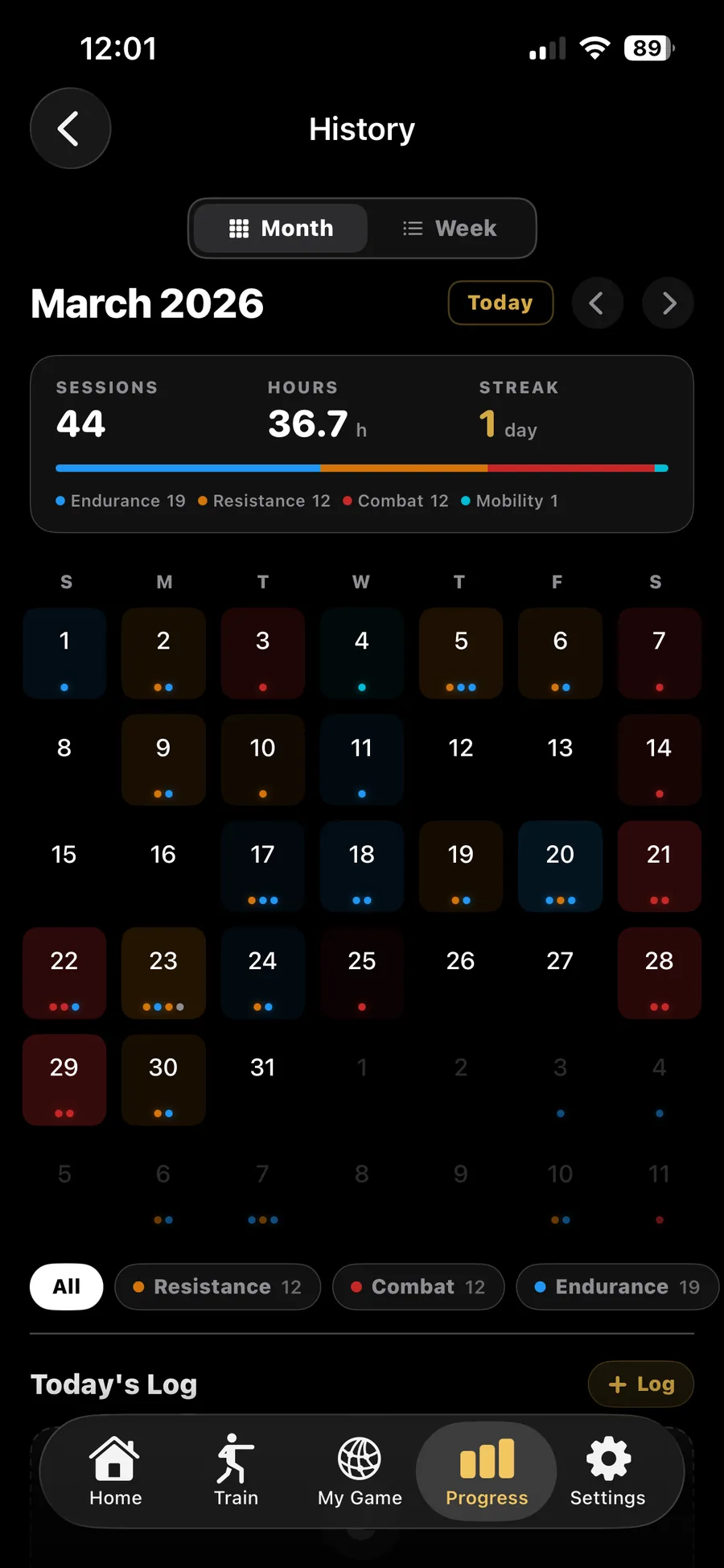
Month view or week view. Each day is a square; each session is a dot. Combat sessions are red, resistance is orange, endurance is blue, sport is purple, mobility is teal. Glance at a month and see whether you've been balanced or you've drifted toward one mode for three weeks straight.
Top of the page shows monthly totals (sessions, hours, current streak) and a stacked bar of where the hours went. Tap any day to drill into what you logged.
Free tier. Available the moment you finish your first session.
Vacation Mode
A planned week off is not a missed week.
Mark the dates you are away and Versus treats the gap as intentional. Your streak survives it, the calendar shows the week as time off rather than a hole, and the drop in training load reads as planned time away rather than as detraining you did not choose.
It matters most on the way back. Versus records where your load stood before you left and eases you back toward it rather than straight to where you stopped, so the first week back is a ramp instead of a cliff.
Free tier. Shipped in v1.1.
Training Camp
Periodisation that adapts to your readiness.
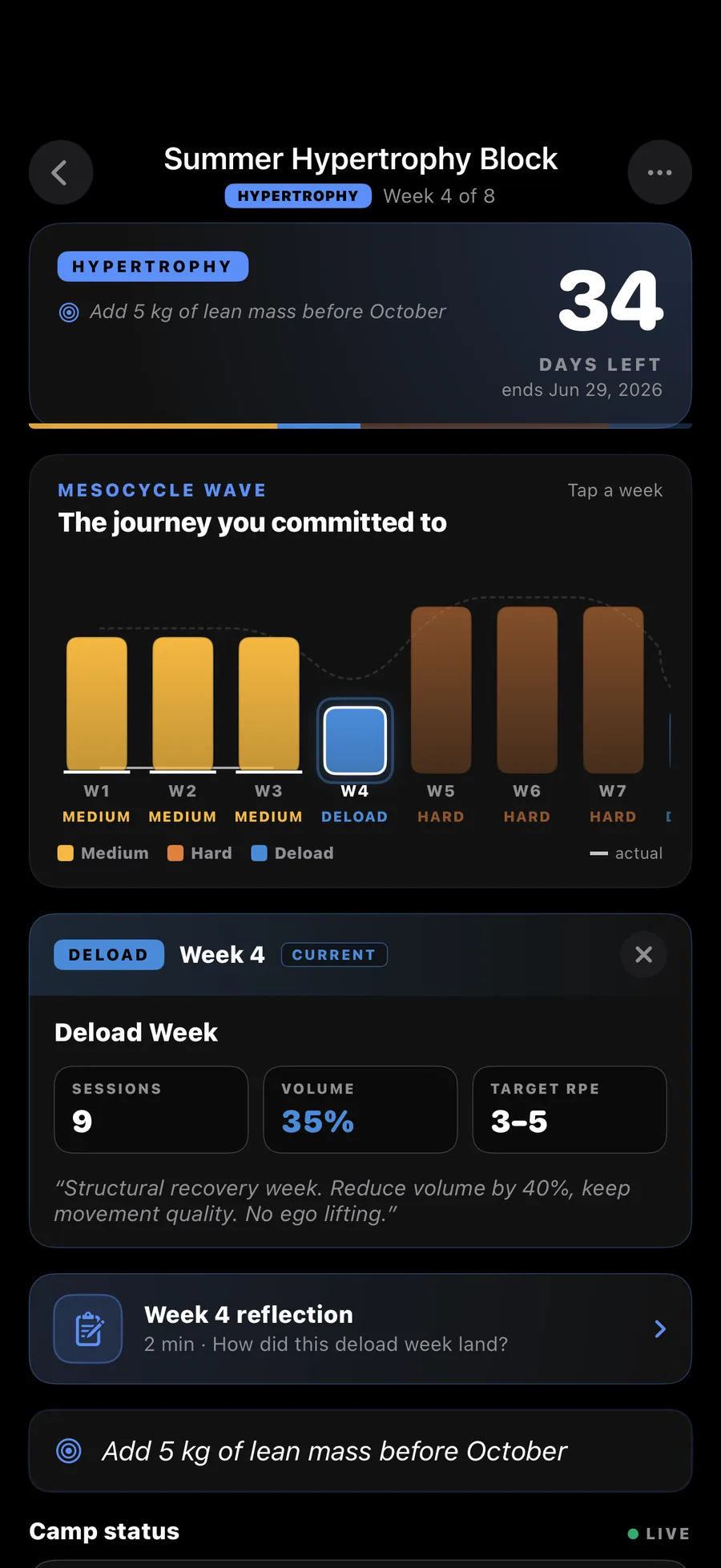
Set a goal date (fight, race, peak block) and a primary modality. Versus generates a 6-week periodisation with build, peak, and deload phases. Targets per modality per week: strength volume, combat sparring load, endurance HR time-in-zone.
As you train, the camp adapts. Two readiness scores under 60? Suggested deload moves earlier. Two PRs hit faster than projected? The peak block recalibrates.
Core tier.
AI Daily Stack
Sessions planned and prescribed each morning.
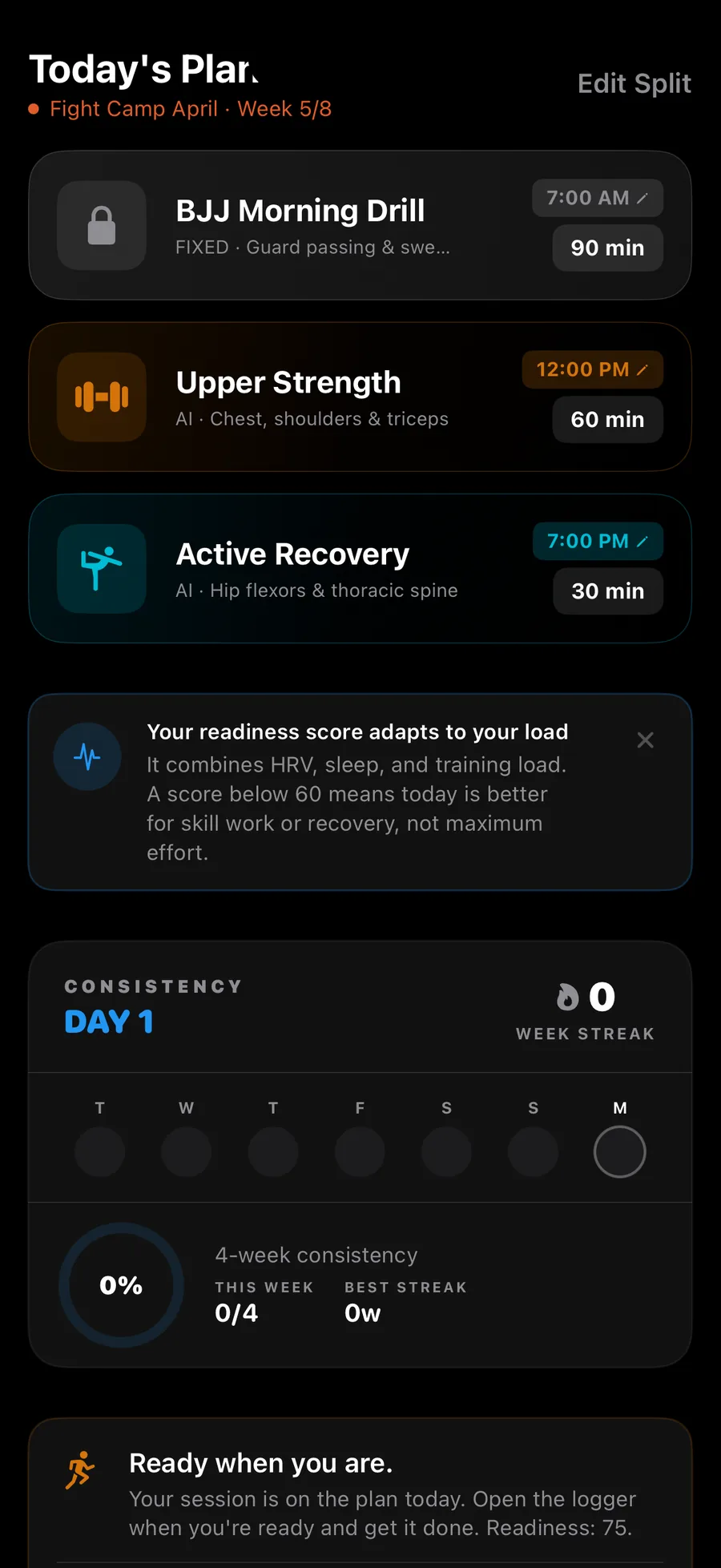
Every morning Versus assembles a session plan for the day. Modality, target intensity, target duration, and the targets that fit that modality: zones for endurance, volume and movements for resistance. Grounded in your readiness score, your active Training Camp phase, your last 7 days of load, and your scheduled events (game, race, fight) if any.
Skip a recommended session and the next morning's stack adjusts. The plan is opinionated but never rigid.
Free on every tier. Core plans it on the larger model.
New in v1.2
The plan follows you into the session.
The plan used to reach into the resistance logger and stop there: open a combat, endurance or sport session and you got a blank sheet. It now travels into all of them, and it is deliberately different in each, because the AI has not earned the same authority in each.
- Endurance: prescribed. Zone target, duration and effort arrive pre-set, so the goal ring and the zone HUD are armed before you press start. You are training alone, and the number is the session.
- Combat and sport: Sensei's Read. An intensity ceiling, what to protect given your injury log, what to prioritise in recovery. No techniques, no drills, no round structures. Your coach programs the session. The app carries the load history and the readiness your coach has no way to see.
- Sport days stop disappearing. A sport day in your weekly split now survives into the stack instead of being swapped for something the planner understood better.
On Core, with the rest of the stack. Shipped in v1.2: the changelog has the rest of that release.
AI Mobility Protocol
Post-session mobility, prescribed by AI.
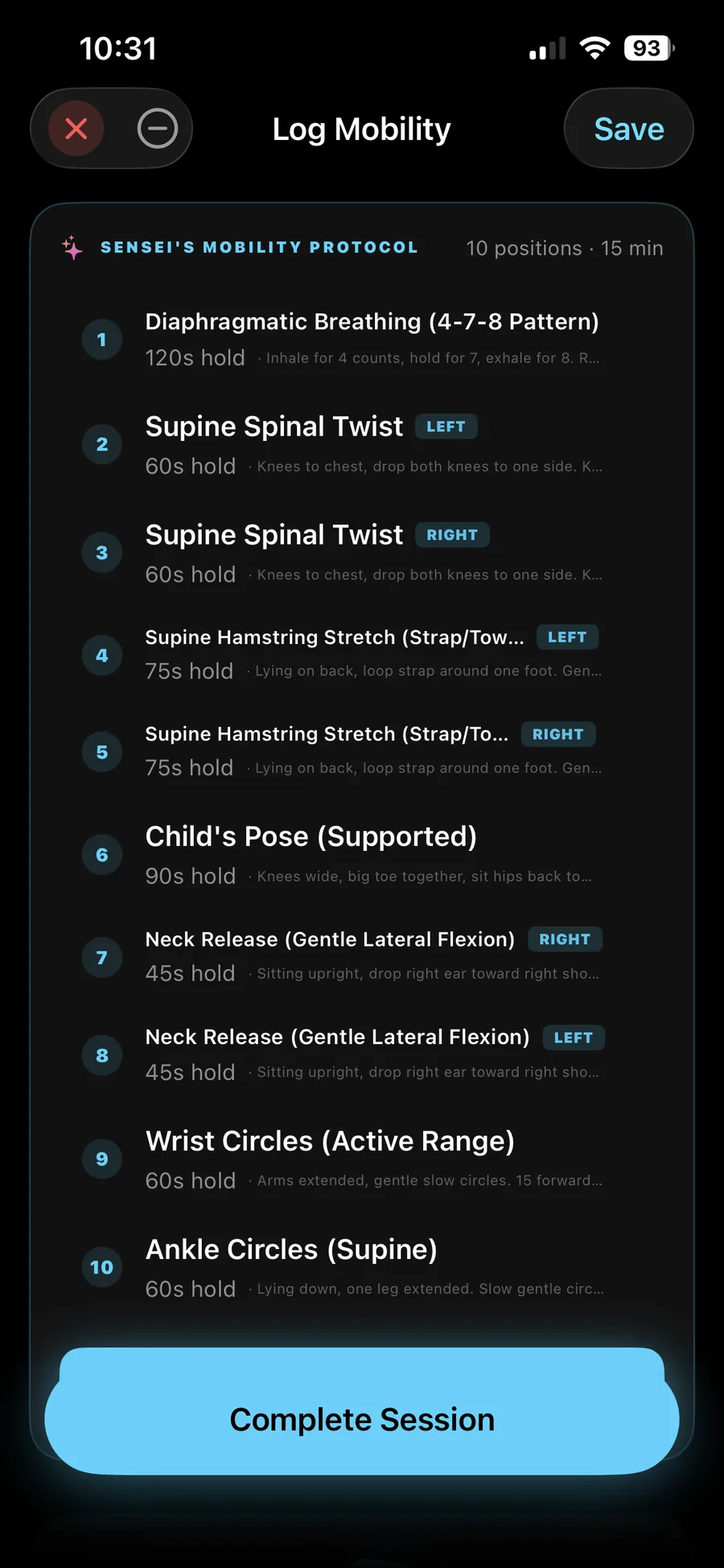
Finish a session and Versus generates a mobility block tuned to what you just trained. Sparring six hard rounds? You get neck, hip, shoulder work weighted toward the positions you spent time in. Heavy lower-body day? Hip flexors, glutes, hamstrings, ankle work in priority order.
Movements pulled from the mobility library, prescribed in 8–12 minute blocks you can finish before bed. Guided cooldown sequences run the same way straight after a session, while you are still warm.
Core tier.
AI sport coaching
The hours between practices, programmed.
Versus used to refuse to program sport skill work at all, because your coach owns that. The rule did its job for coached athletes and left self-coached ones with nothing. It is now a per-sport choice, off until you turn it on, across all 14 sports.
You answer two questions. Do you have a coach for this sport, and do you want Versus programming your skill work. Both answers matter: say you have a coach and the plan narrows to solo homework at around 60% of the volume, with your coached sessions counted against the same budget rather than ignored.
A week arrives as two or three blocks, each a few drills with a cue and a criterion you pass or miss on the day. They land in your weekly split and your daily stack rather than in a separate plan. Jump landings, hard cuts and sprint metres are budgeted separately, built from your age, mass, lifting history, recent load and recovery, and your own games are charged against those budgets before a single drill is chosen.
Injuries remove whole classes of drill rather than adding a warning, and the plan names the injury and what would clear it. Readiness moves a block to your next open day instead of marking it missed. Next week is decided by what you actually did: pass a criterion twice and it gets harder, struggle and exactly one thing changes so you learn which one mattered.
It will not do tactics, game plans or play calls. That refusal is enforced on our servers rather than asked for in a prompt, so it holds regardless of what the model feels like doing.
Generation is Elite, and programmed weeks cover the 14 sports for now, with combat programming to follow. The drill library itself already covers all 17 martial arts as well: browsing it, running any drill by hand and the skill tree credit for it are free on every tier.
Sparring exposure
Hard rounds should cost more than drilling. Now they do.
Log the contact level and the intensity of the rounds, not just that you sparred for an hour. Six hard rounds and six technical rounds are not the same week of training, and until 1.4 your load could not tell them apart.
That difference then shows up where it matters: in your weekly load, and in what the app says about tomorrow.
Fight Week
Weight cut, hydration, weigh-in countdown.
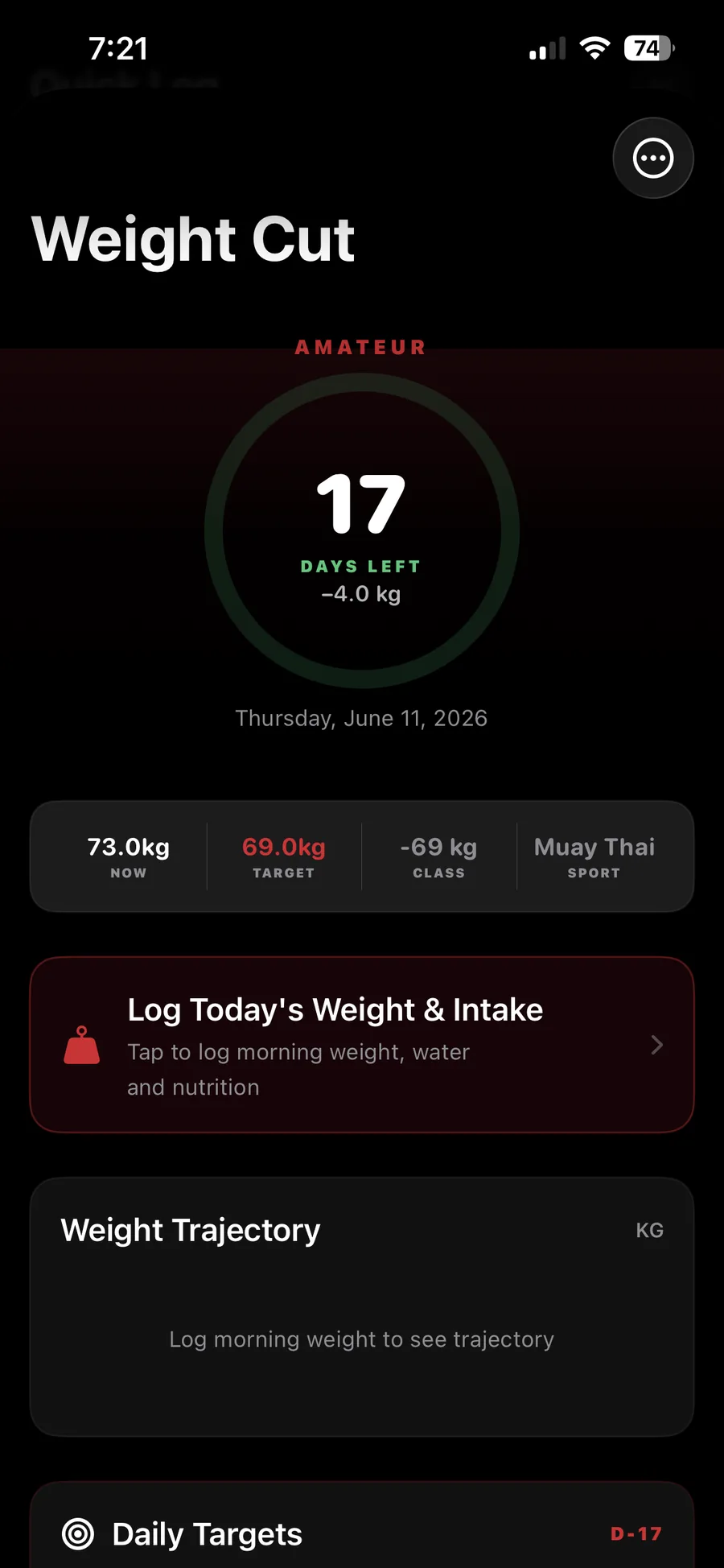
Enter your fight date and target weight. Versus builds a daily plan for the week: water intake curve, sodium curve, sauna sessions, training taper, and the morning-of weigh-in protocol.
Log water and sauna time as you go. Sensei flags if your cut is on or off pace. The night before weigh-in, the protocol switches into the dehydration phase.
Free on every tier. Combat-discipline athletes only.
Fight Week logs and counts down a cut. It does not prescribe one. Cutting weight, and dehydration in particular, carries real medical risk, so plan it with your coach and a doctor who know your history. Not for anyone under 18. See the health disclaimer.
Vanity Vault
Body composition tracking that respects your privacy.
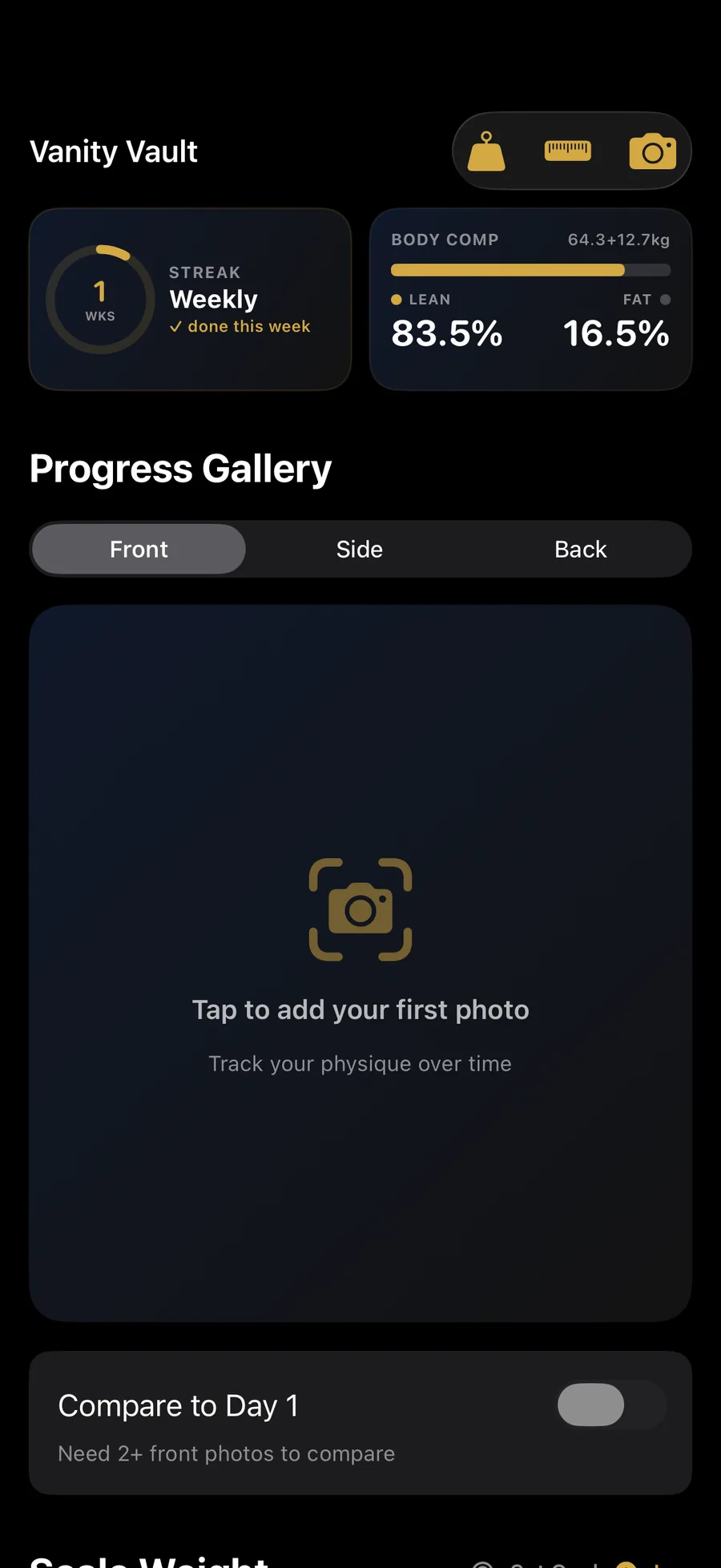
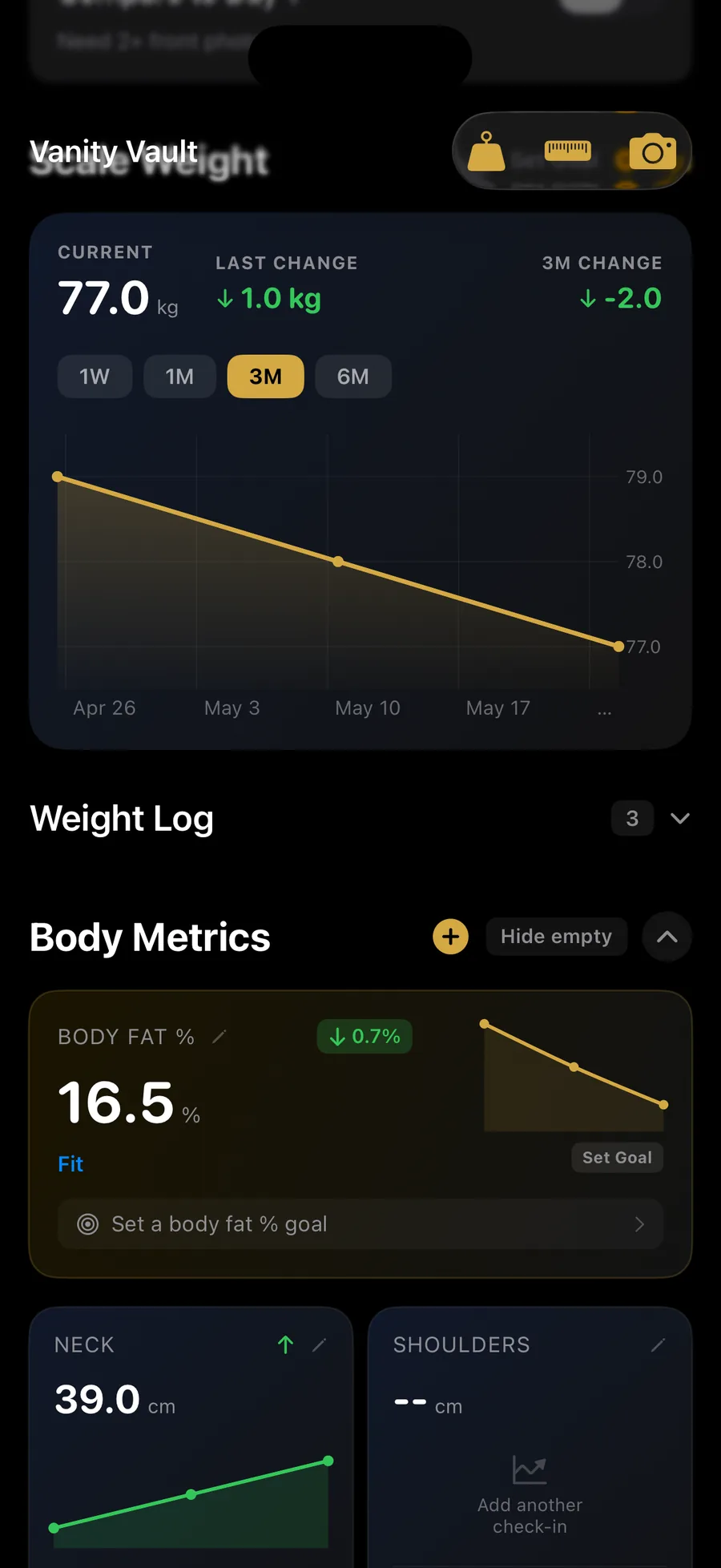
12 measurements: weight, chest, waist, hips, shoulders, arms (R + L), thighs (R + L), calves (R + L), neck. Log every 2-4 weeks. See trend lines, not snapshots.
FFMI and skeletal frame insights put those measurements in context: how much of your mass is lean relative to your height, and what your frame supports. Optional progress photos stored privately. Elite-tier AI body-fat estimate analyzes the photo to return an estimated body-fat percentage, opt-in only.
8 check-ins free, unlimited on Core.
Nutrition
Fuel the training, not a generic target.
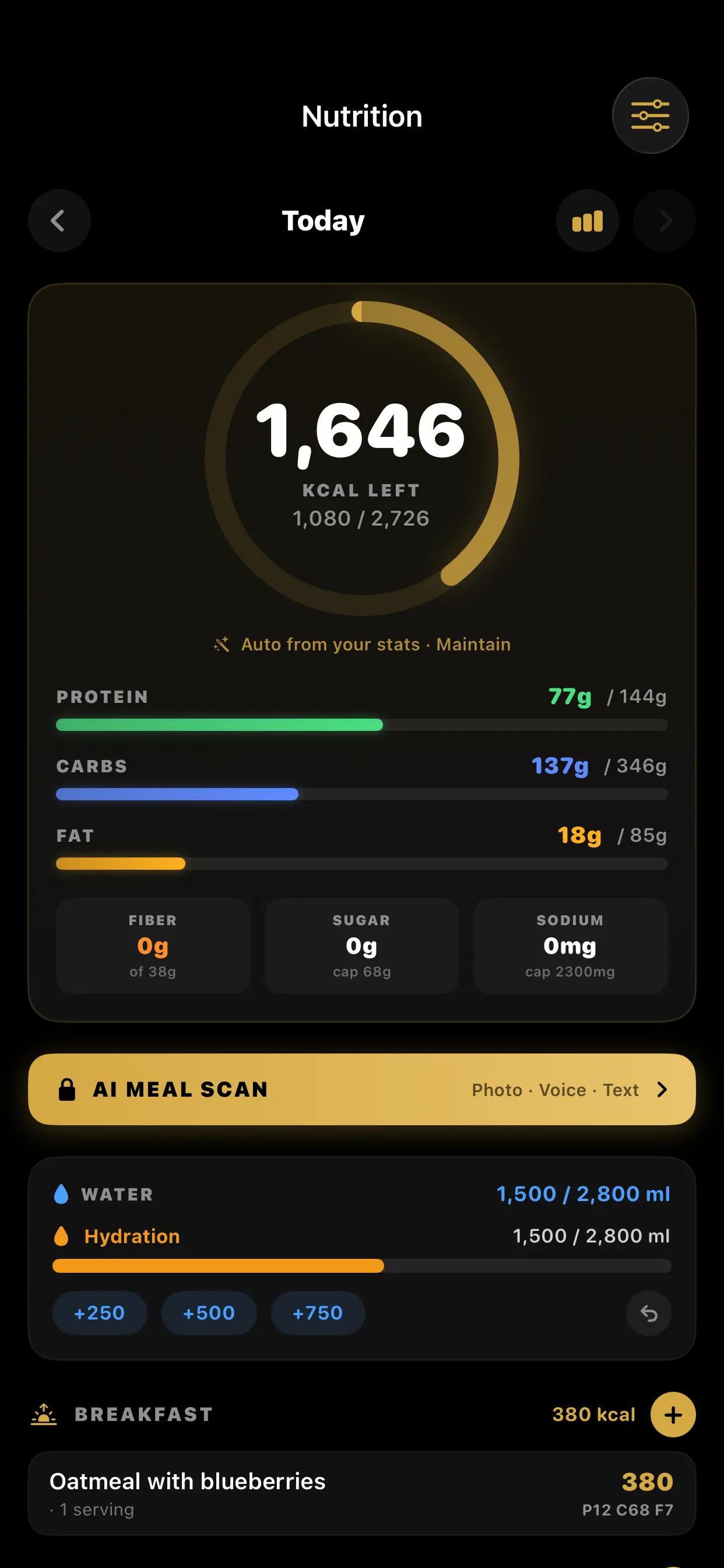
Versus sets your daily calories and macro split from your own stats (height, weight, age, activity, and whether you're cutting, maintaining, or bulking) instead of handing you a number from a chart. The target moves with your training: a hard sparring week and a deload week aren't the same fuelling problem.
The dashboard shows calories left, protein, carbs, and fat against target, plus fiber, sugar, and sodium against sensible caps. Water logging sits on the same screen with one-tap quick adds, and meals group into breakfast, lunch, dinner, and snacks.
AI Meal Scan is the fast path: photograph the plate, say what you ate, or type it. Versus identifies the food, estimates the portion, and fills in calories and macros for you to confirm before saving. Same principle as voice session logging: describe it once, review it, done.
Because nutrition and training live in one app, your intake sits next to the sessions that earned it: protein against a heavy lifting block, carbs against a race week, hydration against a weight cut.
Nutrition tracking, water, and macro targets are free on every tier. AI Meal Scan is Elite-tier, with a daily cap ($14.99/mo or $119.99/yr). Nutrition targets are informational estimates, not medical or dietetic advice.
Physique Report Card
A judge's read on where you stand.
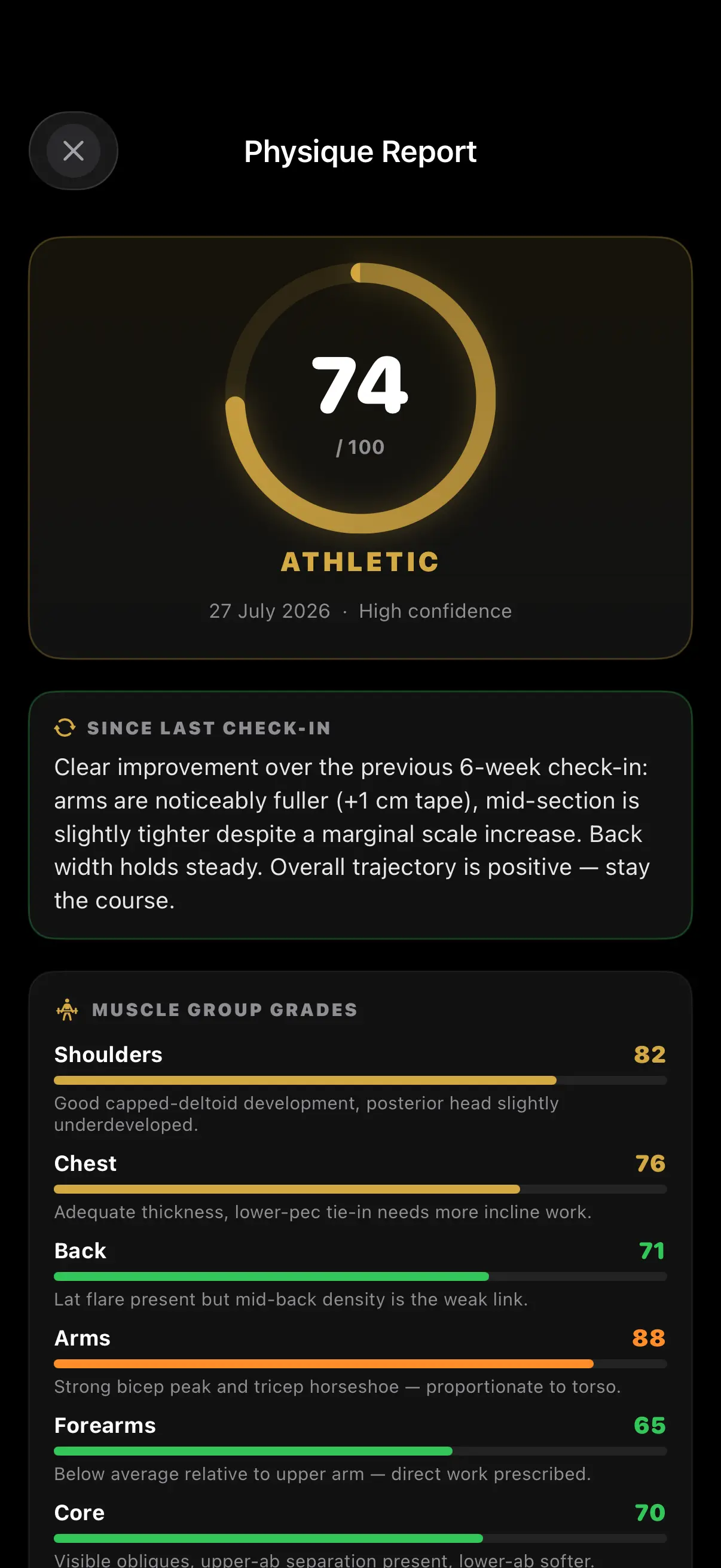
Progress photos tell you something, but only if someone knows how to read them. The Physique Report Card weighs your latest front, side, and back shots against your previous ones, plus your tape measurements, frame, FFMI, and weight trend. What comes back is a judge's assessment, not a number scraped off one photo.
A score out of 100 and a category band. A written verdict on what changed since your last check-in. Grades and a one-line read for ten muscle groups. Your proportions against the classic targets, where you store fat first and go lean last, what's already working, and a numbered list of what to fix, each with the prescription that fixes it.
It grades on your frame, not someone else's: 38 cm arms on a small frame beat 40 cm on a large one, and the report says so. It only grades what the angles show, it states its own confidence, and it won't contradict a number you've measured. A judge's eye, not a measurement, which is why the trend across reports matters more than any single one.
Elite-tier, capped at two reports a day. Photos are processed for the report, never sold, and never shown to other users. See the privacy policy. A physique assessment is an opinion about appearance, not a medical or dietetic one, and it says nothing about whether you are healthy. If your relationship with food, training or your body image is a difficult one, skip this feature.
Gym Feed
Accountability with a small group, not a public feed.
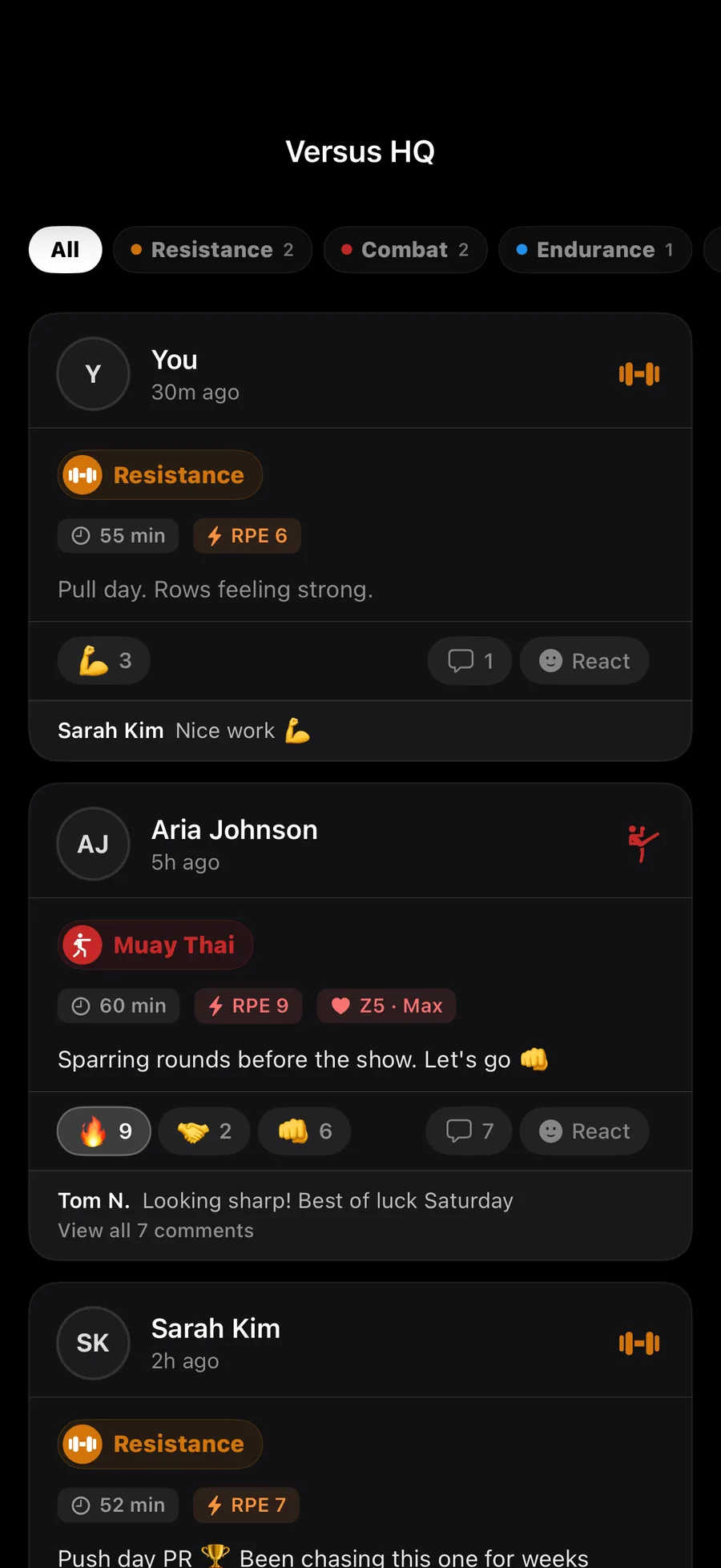
Join a gym with a code (or create one). Members see opt-in workout posts from each other: sessions, PRs, captions, optional photo. Reactions, comments, leaderboards. Block + report controls on every post.
Sharing to feed is off by default. You opt in per workout. Your gym never sees your training unless you say so.
Free tier.
Train Together
Same session, two athletes, a screen each.
Training with someone is the oldest accountability there is, and every app breaks it the moment you both pull your phones out. Train Together puts you in the same session instead. Pick a partner, choose one of your workout templates as the shared structure, and send it. They get a push: you're at the gym and you want to run Push Day A with them, live.
Accept, and you both land in the resistance logger with the same exercises and the same sets, each logging your own weights. Their sets land on your screen seconds after they finish them: what they lifted, for how many, on which movement. Progress runs side by side toward the same target, and the status flips between in-sync, you ahead, or them ahead.
It survives the real world. Miscounted a set, edited a weight, lost signal in the squat rack, and the session reconciles itself rather than drifting. When either of you finishes, the other's side closes out cleanly. Invites expire after 12 hours, so a session you never started doesn't sit around waiting.
Works with anyone in your partner hub, whether they're in the same room or a different city.
Routine sharing
Send a training partner the routine, not a screenshot of it.
Share a routine with a code. They open it in their own app, with their own weights and their own history, and it stays theirs from then on. No account linking, no copying a photo of your notes app into theirs.
Imports
Bring five years of history with you.
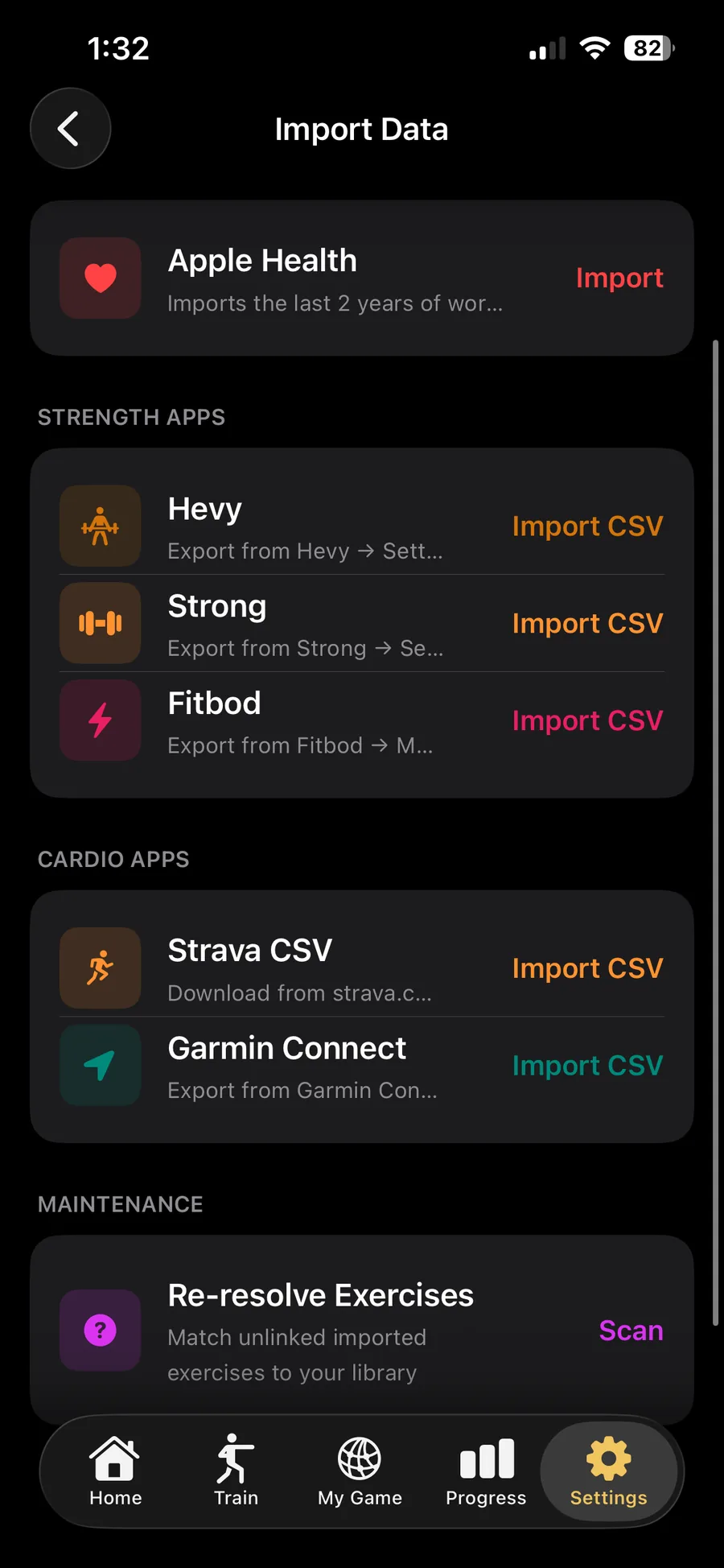
Strava, Hevy, Strong, Fitbod and Garmin: export a file from each and import it, during onboarding or anytime from Settings. Apple Health import was added in 1.4, so workouts already sitting in Health come across too. Your PRs travel with you. Your workload baseline starts from your own history, not zero.
Going the other way, any outdoor session with a route exports as a GPX file, which is the format every other platform reads. Your data leaves as easily as it arrived.
Free tier: we don't gate switching costs.
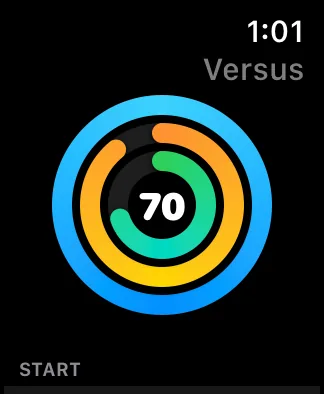
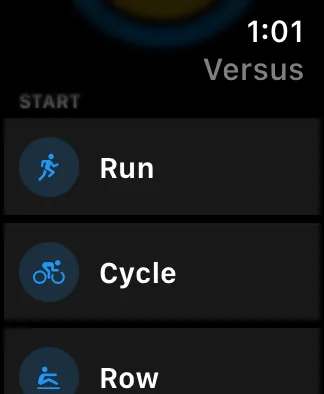
Apple Watch
Native watchOS app, not a phone-screen mirror.
Combat round timer with rest intervals, sRPE prompt at session end, live HR throughout. Endurance lap splits + interval prompts. Sessions sync back to the phone via WatchConnectivity before you tap out.
New in 1.4: finish a set without picking up your phone. Dial the reps and the weight with the Digital Crown, confirm with one tap. The set is written to the watch before it is sent anywhere, so a set logged in a basement gym with no signal is still there when you come back up.
Works standalone. Start a session from the watch without the phone nearby, sync when it reconnects.
Outdoor runs and rides record a GPS route while the session is running, so distance and elevation come from satellites rather than an estimate, and the session detail draws the route on a map coloured by pace. Location is only read during an outdoor session, and you can refuse the permission and still log everything else. See the privacy policy.
Free tier.
iPad, Siri and shortcuts
A real iPad layout, and a way in without opening the app.
On iPad, Versus is not a stretched phone screen. There is a proper sidebar and the content sits in a column you can actually read across, which matters most on the pages you sit and study: your history, your load chart, your camp.
Siri handles the three things you do standing up. "Start a workout in Versus." "Morning check-in in Versus." "What's my readiness in Versus." Each is a Shortcut too, so you can put them wherever you already keep shortcuts.
Notifications got the same treatment. Log your check-in from the notification, or snooze the session, without the app ever opening.
Now on iOS
Read this far? Get the app.
Versus Training is live on iPhone, iPad and Apple Watch. Download it free.